Voqora: A Native Mac App for Turning Reading Into Listening
Most information work still assumes that your eyes should do all the work.
That is fine until it is not. You have a long article open between meetings. A dense paper needs one more pass. You are rewriting something important and want to hear whether it actually sounds clear. A PDF needs to come with you when you leave the desk. The text is already there, but the useful moment to read it is not always the moment you can stare at a screen.
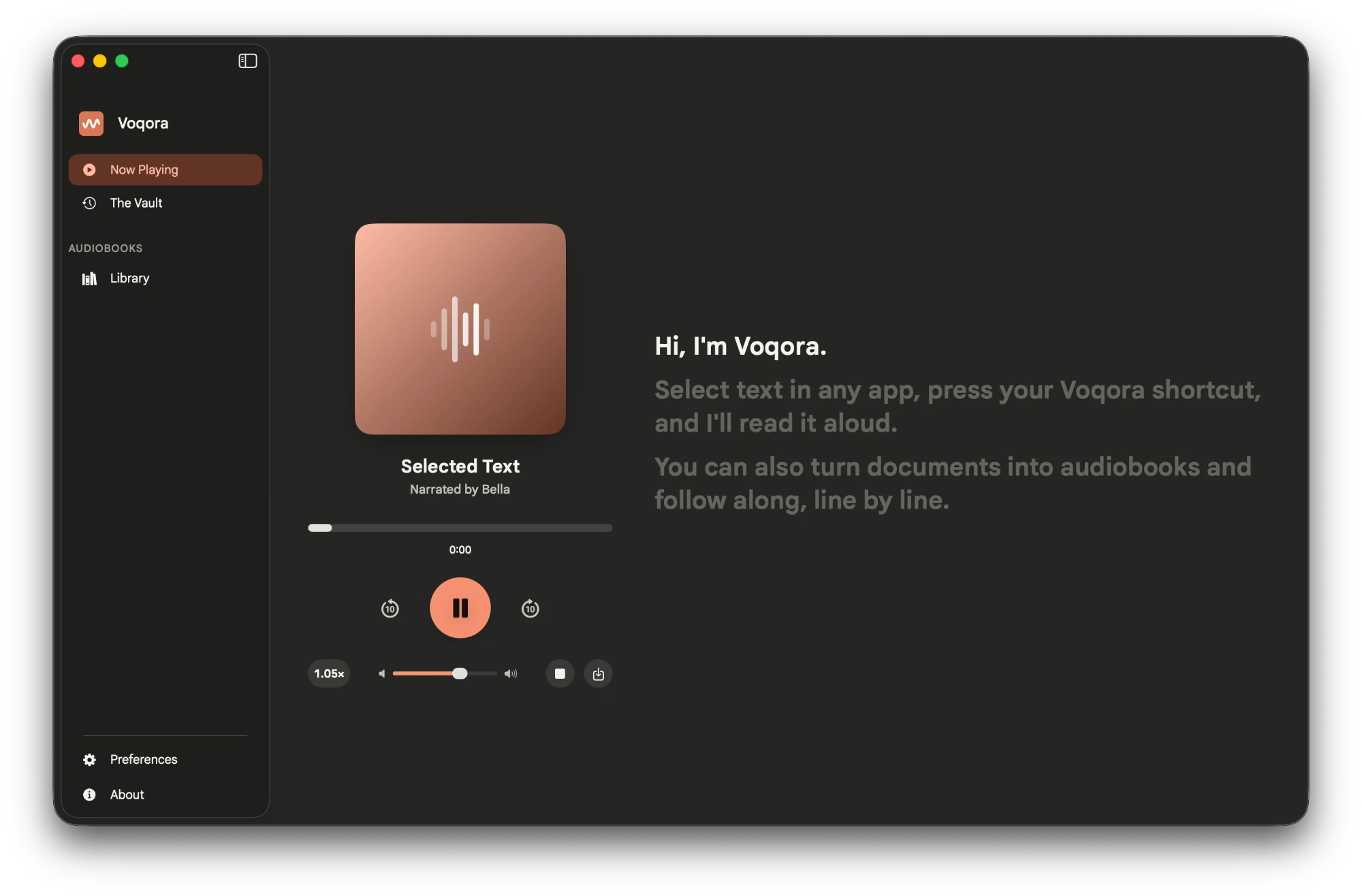
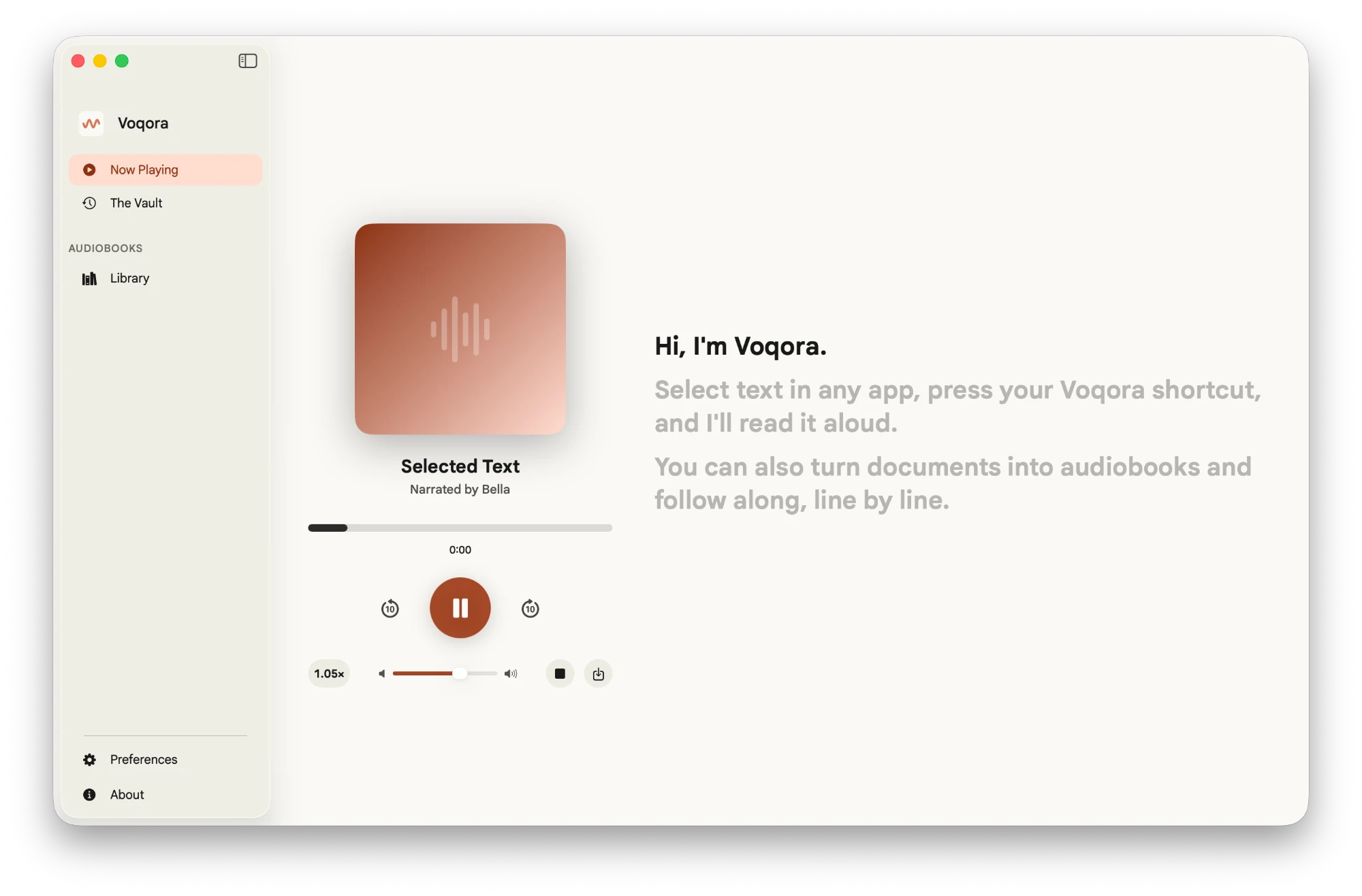
Voqora is a native macOS app that turns the text you are already reading into speech. Select text, press a shortcut, and listen. For longer material, add a PDF and turn it into a resumable audiobook.
It is not a web demo, a browser extension, or an account funnel pretending to be a utility. It is a Mac app built around one practical transition: from reading to listening, without losing your place or your momentum.

Voqora in one minute
There are two core ways to use it.
| If you need to… | Voqora lets you… |
|---|---|
| Get through a paragraph, article, email, brief, or draft | Select it in the app you are already using and have it read aloud. |
| Keep moving through a long PDF | Add it as an audiobook, listen in pieces, and resume later. |
| Review your own writing | Hear the exact words back before sending them. |
| Keep a useful clip | Export the latest spoken selection as a WAV file. |
The normal selected-text flow is deliberately short:
No copying text into another tab. No opening a dashboard. No account required to make the app speak.
The everyday product, not a novelty demo
Text-to-speech can sound like a niche accessibility feature until you use it as a working habit. Then it becomes a different way to move through information.
Here are the moments Voqora is built for:
- Before a meeting: listen to a briefing document while you get ready instead of trying to skim every line at your desk.
- During research: use your eyes for figures, equations, and citations; use your ears for the surrounding explanation.
- While writing: hear a draft out loud. Repetition, missing words, and clumsy sentences become obvious much faster.
- When your eyes are tired: keep going through an article or note without forcing another hour of screen time.
- When a document is too long for one sitting: make it an audiobook, stop whenever you need to, and continue from the same place later.
The point is not to replace reading. Some material needs visual attention. The point is to give you a clean second mode when listening is the better tool.
A shortcut that stays out of your way
Voqora lives alongside the apps you already use: your browser, Notes, a PDF reader, a writing app, an IDE, or a document editor.
Select text and use the default shortcut:
| Action | Default shortcut |
|---|---|
| Speak selected text | Command + Shift + . |
| Play / pause | Command + Shift + / |
| Stop | Command + Shift + , |
| Export the latest clip | Command + Shift + M |
All of these can be remapped in Preferences. The initial voice is Bella, so the app starts with a sensible, consistent default instead of asking you to make a dozen decisions before hearing anything. The public release includes eight English voices: four American and four British. You can adjust voice, speed, and volume once, then let the app stay predictable.
That sounds small, but it matters. A utility only earns a place in a daily workflow when its first action is obvious and its tenth action is not annoying.
Long PDFs should not become abandoned tabs
The selected-text shortcut is for the next paragraph. Audiobooks are for the things that keep getting postponed: a research paper, course pack, report, proposal, handbook, or long-form essay.
In Voqora, a PDF becomes something you can listen to in manageable pieces. The app keeps the audiobook state locally, including your progress, so closing the app does not turn the next session into a search for the last paragraph you heard.
The workflow is simple:
- Add a PDF to the audiobook library.
- Let Voqora extract the text and prepare narration.
- Listen when it makes sense for you.
- Return later and continue from your saved position.
Most text PDFs can be handled locally. Some scanned or poorly extracted files need cleanup before they become pleasant to hear. For that case, Voqora offers an optional Gemini-based cleanup path. You provide your own API key and choose that operation. The relevant document material is sent to Gemini only for that requested cleanup. It is not part of normal selected-text speech, and it is not required to use Voqora.
That distinction is intentional. The default should be clear. Optional help should remain optional.
Local speech is a product choice
The core speech path runs through a bundled local engine on Apple-silicon Macs. When you select text and ask Voqora to speak it, the app does not need to send that text to a cloud text-to-speech service.
That has three practical benefits:
| What stays simple | Why it matters |
|---|---|
| No account needed for the core feature | You can start using the product without creating another identity. |
| No per-character speech bill | Reading a long document does not turn into a metered cloud request. |
| Your selected text stays on the Mac for normal speech | A quick reading action does not require uploading the content. |
The product boundary is plain:
Local-first is not a marketing slogan here. It is the default flow people use hundreds of times: select text, press a shortcut, listen.
What fast means in a reading tool
For this kind of product, “fast” is not a leaderboard number. It means that pressing the shortcut feels like a direct action, not a request you have to wait around for.
Voqora streams generated audio into native playback so you can begin listening before a full passage has become a finished audio file. The app is designed to keep the gap between intent and first useful audio small, then keep playback moving while it prepares what comes next.
The engineering underneath that is there to serve an ordinary feeling: select something, press a shortcut, and hear it soon enough that your attention has not moved on.
The details that make it usable every day
Good speech is only the first layer. A product you return to needs to preserve context and make routine actions easy.
Voqora includes:
- Local history for passages you have spoken before.
- WAV export for the latest clip when you want to keep or share the audio.
- Play, pause, and stop controls that work without forcing you back into the main window.
- Voice, speed, and volume preferences so the product can sound like yours.
- A PDF audiobook library with locally saved progress and resume support.
- Plain-language first-use guidance for the macOS permissions that enable global shortcuts and accessibility features.
This is not an attempt to turn every document into a polished podcast. It is a way to keep information moving when your attention is available but your eyes are not.
Why a native Mac app
A web page can turn text into audio. That was never the difficult part.
The harder part is fitting the action into a real Mac workflow: responding to a global shortcut, working with selected text from another app, keeping playback responsive, remembering local state, packaging the required speech engine, and giving the user a normal installer and update path.
Voqora is built as a native macOS application because the product needs to feel at home on the machine where the reading already happens. The experience is designed around native controls, native playback, local files, and a familiar install flow: drag the app into Applications, open it, and use it.
The current public release supports Apple-silicon Macs running macOS 14 or later. That is an intentional launch boundary, not a hidden limitation. It keeps the first public product focused on one platform and lets the work go into making that experience reliable.
A release is part of the product
For a Mac app, “it builds on my machine” is not a release standard.
The public product also needs a clear installer, first-launch instructions, readable release notes, and a way for people to receive later updates without manually learning the project structure. Voqora ships with that release path in mind.
If macOS puts an extra security warning in the way of a downloaded build, the release materials explain the normal right-click Open route and provide a narrowly scoped command for the installed app when needed. The goal is not to make users troubleshoot developer tooling. It is to give them a predictable path from download to first spoken sentence.
Future releases use the app’s built-in update mechanism. The public repository keeps the release notes, installer guidance, source, and license together so there is one clear home for the active product.
Behind the scenes, the macOS test host runs serially for full checks. That is deliberate: correctness checks should prove the app works, not open a pile of windows and turn a developer’s laptop into a space heater.
SuperSay became Voqora. Voqora is the active product.
SuperSay was the earlier public project. It is not being erased or rewritten out of history. The product is now Voqora, while SuperSay remains available as a final, frozen legacy release for people who found it, used it, or reached it through search.
Voqora is the current product. It has the active release path, current documentation, and the product direction this work is continuing under.
There is a clear public bridge at the SuperSay legacy post: it explains that SuperSay is now Voqora and points directly to the active product. The short /supersay address and the earlier SuperSay deep-dive URL both redirect there, so old links do not lead people into a dead end.
For an existing SuperSay user, migration is intentionally boring:
- Install Voqora.
- If it finds SuperSay in Applications, choose whether to import compatible voice, speed, volume, and appearance preferences.
- Confirm Voqora works for you.
- Remove SuperSay yourself when you are ready.
Voqora does not silently delete another app. It does not copy your documents, audio, history, credentials, email, custom shortcuts, or privacy choices. This is continuity without pretending the two apps are one blurred product.
Learning from use without inventing a fake audience number
The product does not require sign-in. An anonymous installation can be counted separately from an optional email someone explicitly chooses to provide. That allows a useful view of adoption without pretending that every install is automatically a unique human being.
SuperSay and Voqora are also recorded as separate products. If someone moves from the legacy app to Voqora, that is a migration story, not a reason to quietly add one person twice to a vanity total.
The practical goal is simple: learn whether people use the shortcut, return to audiobooks, and move from the frozen legacy app to the active product. Do that honestly, without making the core feature depend on surveillance or an account.
What Voqora is and is not
Voqora is for people who read a lot on a Mac and want listening to be a first-class option.
It is not trying to be every audio product at once. It is not a social reading network, an AI summary factory, or a browser tab with a play button. It is a focused desktop tool that helps you turn reading time into listening time without losing control of the text, files, or workflow around it.
The direction is straightforward: make the current Apple-silicon Mac experience genuinely useful, learn from real use, and improve the product without making it noisier or more complicated than the problem requires.
Download Voqora
Voqora is available now for Apple-silicon Macs running macOS 14 or later.
Want to inspect the source, release notes, and install instructions first? Visit the Voqora GitHub project. The button above records an aggregate download-page click, then takes you to GitHub. GitHub's release download count remains the authoritative count of downloaded files.
The source is available under the PolyForm Noncommercial license. You can study, modify, and share it for non-commercial purposes. Commercial use requires a separate agreement.
The most useful feedback is specific: what did you try to listen to, where did the workflow help, where did it break, and what would make you open Voqora again tomorrow?